
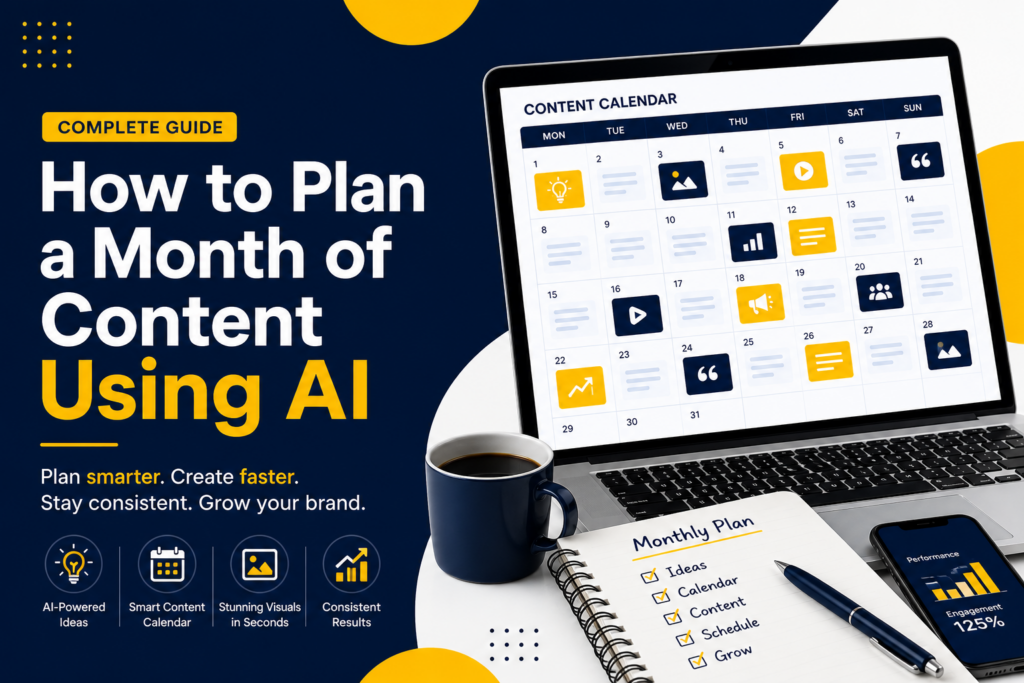
How to Plan a Month of Content Using AI
Planning content sounds simple until you actually try to do it. You sit down, open your laptop, and suddenly you don’t know what to post, you run out of ideas halfway through, and you skip days and lose consistency.
Here is the truth most people won’t say: planning content is one thing. Actually creating it consistently is where most people fail. According to recent marketing data, consistency is one of the biggest challenges for content creators and small businesses today — and it is the number one reason content strategies fall apart.
That is where AI changes everything. In this guide, you will learn exactly how to plan a month of content using AI — from ideas to execution — without burnout, guesswork, or needing design skills.
TL;DR
If you just want the quick version:
- Use AI to define goals and identify your audience
- Generate 30+ content ideas instantly with a single prompt
- Turn ideas into a structured content calendar in minutes
- Use AI tools to create captions, images, and videos
- Schedule and optimise for consistent performance
The real win: AI doesn’t just help you plan — it helps you create everything faster.
Why Content Planning Feels Hard (And How AI Fixes It)
Most businesses struggle with three things: consistency, content ideas, and time. You either post randomly, overthink everything, or burn out trying to keep up.
Many brands are now using AI workflows for content creation to simplify both planning and execution. Instead of starting from scratch every day, you generate ideas in seconds, turn them into structured plans, and create actual content instantly.
Define Your Content Goals
What to Do
Before creating anything, ask: what do I want from my content? Your goals determine what you post, how often, and what formats to use.
| Goal | Content Type |
|---|---|
| Brand awareness | Reels, carousels |
| Lead generation | Guides, PDFs, lead magnets |
| Sales | Product demos, testimonials |
How AI Helps
AI can suggest content strategies based on your niche, recommend posting frequency, and generate goal-aligned content ideas instantly.
Example Prompt
Identify Your Audience and Platforms
What to Do
You need clarity on who you are talking to and where they spend time. Different audiences live on different platforms — getting this right before you create anything saves enormous time and effort.
| Audience | Best Platform |
|---|---|
| Beginners | TikTok, YouTube Shorts |
| Professionals | |
| Business owners | Instagram, Facebook |
How AI Helps
AI can analyse audience behaviour, suggest the best platforms for your niche, and generate detailed audience personas to guide your tone and format.
Example Prompt
Generate Content Ideas Using AI
What to Do
This is where most people get stuck. You need at least 30 content ideas with variety across content types. If you want to speed things up, you can generate social media content in minutes with AI instead of starting from scratch each time.
The four core content types to mix across your calendar:
- Educational — teach your audience something valuable
- Entertaining — show personality and build connection
- Promotional — highlight your product or service
- Story-based — share behind the scenes or real experiences
How AI Helps
AI content planning tools can generate 50+ ideas instantly, categorised by topic and content type, complete with viral hooks and angles. AI-powered platforms can produce dozens of content ideas in seconds — removing the blank page problem entirely.
Example Prompt
Example Output
- “3 mistakes killing your engagement”
- “How to create ads using AI”
- “Behind the scenes of my workflow”
- “What I wish I knew before starting content marketing”
- “The fastest way to grow on Instagram in 2026”
Create a Content Calendar Using AI
What to Do
Now we organise everything. If you are new to this, here is a helpful guide on how to create a social media calendar that breaks down the foundational principles step by step.
Turn your ideas into a structured calendar with weekly themes and a consistent posting schedule.
| Day | Content Type |
|---|---|
| Monday | Educational |
| Tuesday | Tips and quick wins |
| Wednesday | Story or behind the scenes |
| Thursday | Tutorial or how-to |
| Friday | Promotion or offer |
How AI Helps
AI content calendar generators can auto-organise your ideas, suggest optimal posting times, and balance content types so you never over-promote or go too long without engagement content.
A strong social media calendar strategy ensures your content stays balanced and consistent across platforms — and AI makes that structure effortless to maintain.
Example Prompt
Generate Posts Using AI
This is where most tools stop. But this is where execution matters most. Planning content is one thing — knowing how to create high-converting posts using AI is what actually drives results.
Captions
AI writing tools can generate captions in any tone — educational, conversational, promotional — matching your brand voice in seconds.
Images
AI image tools generate scroll-stopping visuals based on simple text descriptions. No design skills required.
Videos
AI can now generate short video ads and social clips from text prompts — removing the need for video editing experience entirely.
How AI Helps
AI can also help you create high-converting Facebook ads using AI without needing advanced design skills — bridging organic content with paid performance in one workflow.
Schedule and Optimise Content
What to Do
Once your content is created, use scheduling tools to queue posts in advance and track performance over time.
- Use scheduling tools to post automatically at peak times
- Track engagement, reach, and click metrics weekly
- Optimise based on what performs best each week
How AI Helps
AI can suggest the best posting times for your audience, analyse engagement patterns, and recommend improvements based on real performance data — so every month you get better results than the last.
Example: Weekly Content Plan
| Day | Topic | Format |
|---|---|---|
| Monday | What is AI marketing? | Carousel |
| Tuesday | 3 tools to grow faster | Tips post |
| Wednesday | Behind the scenes story | Story post |
| Thursday | How to create ads with AI | Tutorial reel |
| Friday | Offer or product feature | Promotional post |
Example: Full Content Calendar
| Day | Topic | Format |
|---|---|---|
| 1 | AI marketing intro | Reel |
| 2 | 5 quick tips for growth | Carousel |
| 3 | My content workflow story | Post |
| 4 | How to plan content with AI | Tutorial |
| 5 | Weekend offer | Promotion |
| 6 | Rest or reshare top post | Repurpose |
| 7 | Audience poll or question | Engagement |
| 8 | What is a content calendar? | Educational |
| 9 | Tool recommendation | Tips |
| 10 | Behind the scenes | Story |
Continue this pattern across all 30 days — alternating between educational, entertainment, story, and promotional content.
Sample Posts (Captions and Visual Ideas)
Sample Caption
Struggling to stay consistent with content?
Here is the truth: it is not your fault. You are just doing it the hard way.
AI can help you plan faster, create better content, and stay consistent without burning out.
Welcome to smarter marketing.
Visual Idea
Concept: Split screen showing “Manual vs AI” content creation
Style: Bold text overlays, clean branding, high contrast
Format: Reel or carousel with before and after comparison
Best AI Content Planning Tools
Best for generating ideas, writing captions, and building content calendars from prompts.
Best for organising your content calendar and managing editorial workflows in one place.
Best for creating everything — visuals, video ads, and marketing content — all in one platform without design skills.
Competitor Gap Analysis
What most top-ranking articles miss: Generic AI guides, basic content calendar templates, and tool list articles that do not show execution, do not provide real examples, and do not connect planning to actual content creation.
What this guide gives you: A step-by-step breakdown with real examples, actual prompts you can use today, and an execution-first approach that takes you all the way from idea to published post.
FAQs
Final Thoughts
Content planning doesn’t have to feel overwhelming. With AI, you can plan faster, create better content, and stay consistent without the burnout. And most importantly: you can finally execute.
The system in this guide works whether you are a solo founder, a small business, or a marketing team. Pick a step, start today, and build from there.
Ready to Stop Overthinking and Start Creating?
With Ndovesha, you can plan your entire month, generate visuals and videos, and create high-quality content in minutes.
Start Creating with Ndovesha