
You’ve probably seen designers charging $100, $500, even $1,000+ for a logo. And if you’re a startup, freelancer, or small business owner, that’s not just expensive. It’s painful.
But here’s the truth most people are just starting to realize:
👉 You don’t need a designer anymore.
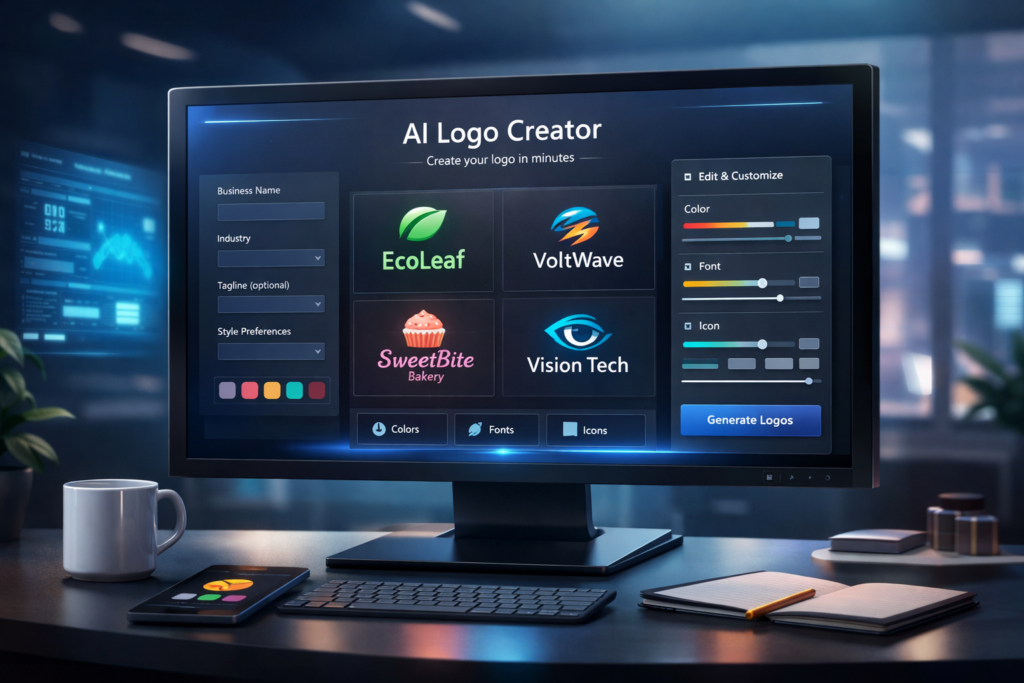
Today, you can design a professional logo in minutes using AI. No skills, no software, no stress. In this guide, I’ll show you exactly how to design a logo without a designer using AI, step by step, even if you’ve never designed anything in your life.
AI isn’t just changing design. It’s transforming how businesses grow. If you’re new to this space, check out this guide on AI marketing for small businesses to see how everything connects.
⚡ TL;DR (Quick Summary)
- AI can generate a professional logo instantly
- No design skills or software required
- Just describe your brand and AI does the rest
- Tools like Ndovesha let you create, customize, and download in minutes
- Save hundreds of dollars compared to hiring a designer
💡 If you can describe your business, you can design your logo.
What Is AI Logo Design?
Quick Definition
AI logo design uses artificial intelligence to automatically generate logos based on your business name, industry, and style preferences so you can go live with a professional brand identity without hiring anyone.
Instead of starting from scratch or briefing a designer, AI tools:
- 👉 Analyze your business name and industry
- 👉 Apply proven design principles (color, typography, layout)
- 👉 Generate ready-to-use logo options in seconds
Think of it as having a designer on call. Faster, cheaper, and available 24/7.
If you want to go deeper on branding, understanding branding fundamentals will help you create a logo that actually connects with your audience.
Why You Don’t Need a Designer Anymore
Traditional logo design has three major problems:
❌ Traditional Design Problems
- Expensive. Designers charge premium rates.
- Slow. Takes days or even weeks.
- Back and forth revisions with no guarantee
- You need to brief, approve, and manage someone
✅ AI Logo Design Solves This
- Create a logo in under 5 minutes
- Low cost or free to get started
- Edit everything yourself, instantly
- No briefs, no waiting, no friction
Benefits of Using AI for Logo Design
Here’s why thousands of small business owners are making the switch:
- Speed. Create a logo in under 5 minutes.
- Cost. Many tools are free or a fraction of hiring a designer.
- Simplicity. No design skills required.
- Scalability. Create multiple variations instantly to A/B test.
- Control. Edit everything yourself, no waiting on someone else’s schedule.
Studies in consumer trust research consistently show that strong branding directly impacts how customers perceive your business. Your logo is the first element they see.
Step by Step: How to Design a Logo Without a Designer Using AI
Define Your Brand Identity
Before touching any tool, answer these questions:
- What does your business do?
- Who is your target audience?
- What vibe do you want? (luxury, fun, modern, bold, minimal)
Examples:
- Real estate: clean, premium, trustworthy
- Fitness brand: bold, energetic, aggressive
- Kids’ product: playful, colorful, friendly
Knowing your brand identity before you start means AI generates something that actually fits, not just something that looks generic.
Choose an AI Logo Tool
Look for tools that are beginner friendly, allow customization, and offer proper export formats (PNG, SVG).
👉 This is where Ndovesha comes in. Instead of juggling multiple tools, Ndovesha lets you create your logo, build your website, and launch your business all in one place.
If you’re comparing options, this breakdown of Ndovesha vs ChatGPT for marketing will help you understand which platform actually delivers better business results.
Enter Your Business Details
Most AI tools will ask for: your business name, industry, optional tagline, and style preferences.
Your results depend heavily on what you input. Learning how to write effective AI prompts can dramatically improve the quality of your logo outputs.
Be specific:
- ❌ Bad input: “Business”
- ✅ Good input: “Luxury real estate agency in Nairobi targeting high-end buyers”
Customize Your Logo
This is where the magic happens. After AI generates your initial options, you can adjust:
- Colors (stick to 2 or 3 max)
- Fonts (choose something clean and legible)
- Icons and symbols
- Layout and spacing
Export and Use Your Logo
Download your logo in the right formats:
- PNG for web use and social media
- SVG for scalability (prints, large formats)
- Transparent background for overlaying on any color
Then use it everywhere: website, social media, business cards, and ads. Once your logo is ready, the next step is visibility. Here’s how to generate social media content in minutes with AI so your brand actually gets seen.
Best AI Logo Design Tools (Comparison Table)
Not all AI logo tools are equal. Here’s a quick breakdown of the main options:
| Tool | Best For | Ease of Use | Price |
|---|---|---|---|
| Ndovesha | All-in-one business setup (logo and website) | ⭐⭐⭐⭐⭐ | Affordable |
| Looka | Full branding kits | ⭐⭐⭐⭐ | Medium |
| Canva | DIY design (logo and graphics) | ⭐⭐⭐⭐ | Free / Paid |
| Wix Logo Maker | Users already on Wix | ⭐⭐⭐⭐ | Medium |
Common Mistakes to Avoid
1. Overcomplicating Your Logo
More elements don’t mean more professionalism. The world’s most recognizable logos (Apple, Nike, Google) are remarkably simple. Keep it clean.
2. Using Too Many Colors
Stick to 2 or 3 colors max. More than that and your logo starts to look messy and amateurish, regardless of which tool created it.
3. Following Trends Blindly
Design trends change every few years. A logo you build around a 2024 trend will feel dated by 2027. Prioritize timelessness over trendiness.
4. Ignoring Scalability
Your logo needs to work at every size. On a business card and on a billboard. Always preview it small before finalizing. If it’s unreadable at small sizes, simplify it.
5. Not Downloading in the Right Format
Always save SVG and transparent PNG versions. Using a JPG with a white background on a colored website is one of the most common rookie mistakes.
Real Examples (Small Business Use Cases)
1. Freelancer Building a Personal Brand
A Nairobi-based copywriter used AI to create a clean, minimal wordmark logo in under 10 minutes. They used it on their LinkedIn profile, portfolio site, and pitch deck and started landing clients faster because their profile looked polished and professional.
2. E-Commerce Store Launching Fast
An entrepreneur launching a skincare brand used Ndovesha to create a logo and website on the same afternoon. Instead of waiting 2 weeks for a designer, they were live and taking orders the same day.
3. Real Estate Agency Building Trust
A small real estate firm replaced their outdated logo with an AI-generated premium design. Cleaner fonts, a refined color palette, a better icon. Client feedback immediately improved. Prospects described the brand as more established and trustworthy.
AI Logo Design vs Hiring a Designer
| Factor | AI Logo Design | Hiring a Designer |
|---|---|---|
| Cost | Low ($0 to $30) | High ($100 to $1,000+) |
| Speed | Minutes | Days to weeks |
| Flexibility | High. Edit anytime yourself. | Limited. Pay for every revision. |
| Creativity | Moderate (AI follows patterns) | High (custom, unique concepts) |
| Best For | Startups, MVPs, side projects | Established brands, rebrands |
👉 Best strategy: Start with AI. Launch fast, validate your brand, get customers. Then upgrade to a professional designer once you’ve proven the business works, if you still need to.
How to Make Your Logo Look Premium (Even with AI)
1. Use Minimal Colors
Some combinations instantly communicate quality:
- Black and gold: luxury and premium
- Navy and white: trust and authority
- Dark green and cream: organic and high-end
Not sure what colors to choose? Use a color palette generator to find combinations that match your brand identity.
2. Choose Clean Fonts
Avoid overly decorative or novelty fonts. For a premium feel, lean into geometric sans-serifs or refined serif typefaces. You can explore free professional fonts to find clean, modern typography that elevates your logo instantly.
3. Use Negative Space
The empty space around and within your logo is just as important as the elements themselves. Generous negative space makes logos feel high-end. It signals confidence. Crowded logos feel anxious.
4. Keep It Versatile
Your logo should work everywhere: on a white background, a dark background, embossed on a product, and scaled down to a favicon. Test all of these before finalizing.
🔗 Related Reading on Ndovesha Blog
People Also Ask (FAQs)
Can AI really design a professional logo?
Yes. Modern AI logo tools follow proven design principles including color theory, typography hierarchy, and visual balance making them reliable for most businesses. The results are indistinguishable from mid-range professional work for the vast majority of use cases.
Is AI logo design free?
Many tools offer a free tier to generate and preview logos. Premium exports (high-resolution, SVG, transparent PNG) typically cost a small fee. Either way, it’s a fraction of hiring a designer.
How long does it take to design a logo with AI?
Usually 5 to 10 minutes from start to download. That includes generating options, customizing your preferred design, and exporting in the right formats.
Can I trademark an AI-generated logo?
Yes, in most jurisdictions. The key requirements are that the logo is unique and not substantially similar to existing trademarks. Always run a trademark search before registering, and consult a legal professional if you’re unsure.
What’s the best AI logo tool for small businesses?
For small businesses that want a logo and a website in one place, Ndovesha is the strongest option. For logo-only work with detailed branding kits, Looka is solid. For those already in the Canva ecosystem, their logo maker works well too.
Do I own the logo AI creates for me?
This depends on the tool’s terms of service. Most reputable AI logo platforms grant you full commercial rights to logos you create and download through paid plans. Always check the licensing terms before using a logo commercially.
Final Thoughts
Designing a logo in 2026 doesn’t require a designer, a budget, or a design background. It requires a clear sense of your brand and the right AI tool.
The steps are simple: define your identity, choose a tool, enter your details, customize, and export. The whole process can be done in an afternoon or in under 10 minutes if you’re ready.
Your logo is your first impression. It’s on every email, every social post, every product you ship. Don’t let cost or complexity delay getting that right. AI has removed both barriers entirely.
The businesses moving fastest are the ones building with AI. Start today.
Ready to Create Your Logo in Minutes?
Stop overthinking. Stop overpaying.
No skills. No stress. Just results.
Design Your Logo with Ndovesha →