
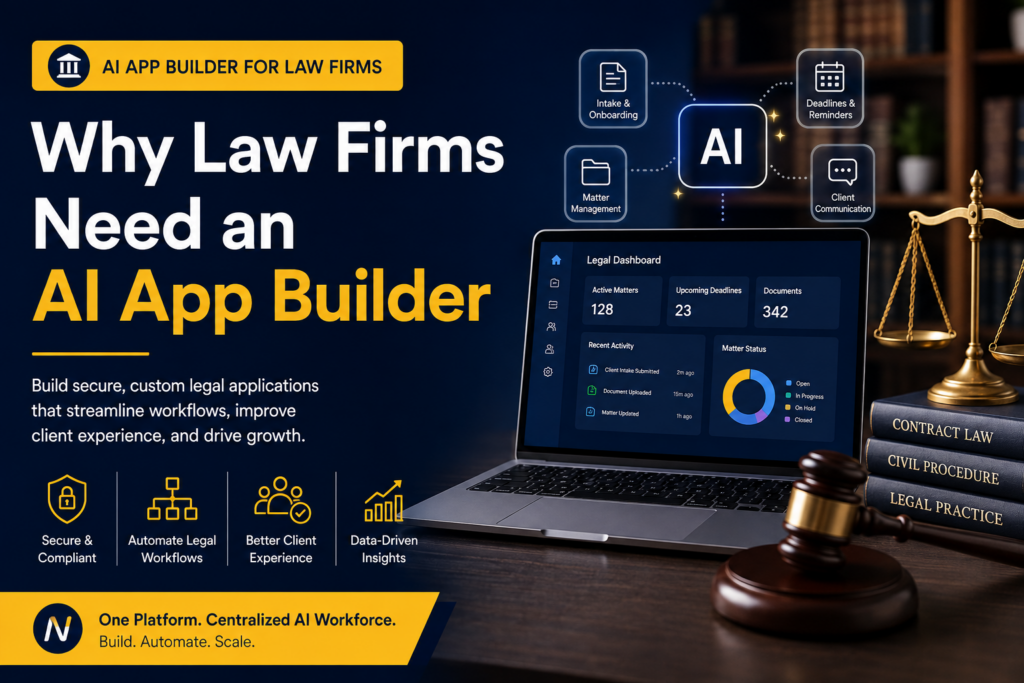
Explore how law firms can use AI application builders to create software around client intake, matter management, client portals, legal operations, and the workflows that keep a practice moving.
⏱ 25 min read
Why Law Firms Need an AI App Builder
Have you ever looked at a legal workflow and thought, “There has to be a better way to do this”? Client enquiries arrive through different channels, matter information lives in several places, and staff can spend too much time following up on documents, appointments, approvals, and status updates. An AI app builder for law firms changes the starting point. Instead of beginning with generic software, the firm can begin with the workflow itself and use AI-assisted application development to turn that workflow into a practical system.
Key takeaway
- An AI app builder for law firms can help create software around firm-specific workflows.
- Potential applications include legal CRMs, matter management systems, client portals, intake applications, dashboards, document request systems, and internal tools.
- The strongest starting point is usually one clear workflow with a measurable operational problem.
- Security, permissions, confidentiality, integrations, and governance should be evaluated before sensitive legal information is placed into any AI-enabled system.
- The goal is not to replace lawyers. It is to give legal professionals better software around the work they already do.
In this article
- Why Law Firms Are Reaching the Limits of Disconnected Software
- Why Law Firms Need an AI App Builder
- What Is an AI App Builder for Law Firms?
- How an AI Application Builder Works
- Step-by-Step Guide to Building a Legal Application with Ndovesha AI
- What Can Law Firms Build with an AI App Builder?
- A Real-World Example: Building a Client Intake Application
- Another Example: Building a Law Firm Client Portal
- AI App Builder vs Traditional Software Development for Law Firms
- Benefits of AI-Powered Application Development for Law Firms
- Security and Confidentiality Matter
- Why Law Firms Should Start With One Workflow
- Frequently Asked Questions
- Sources & Further Reading
- Conclusion
Why Law Firms Are Reaching the Limits of Disconnected Software
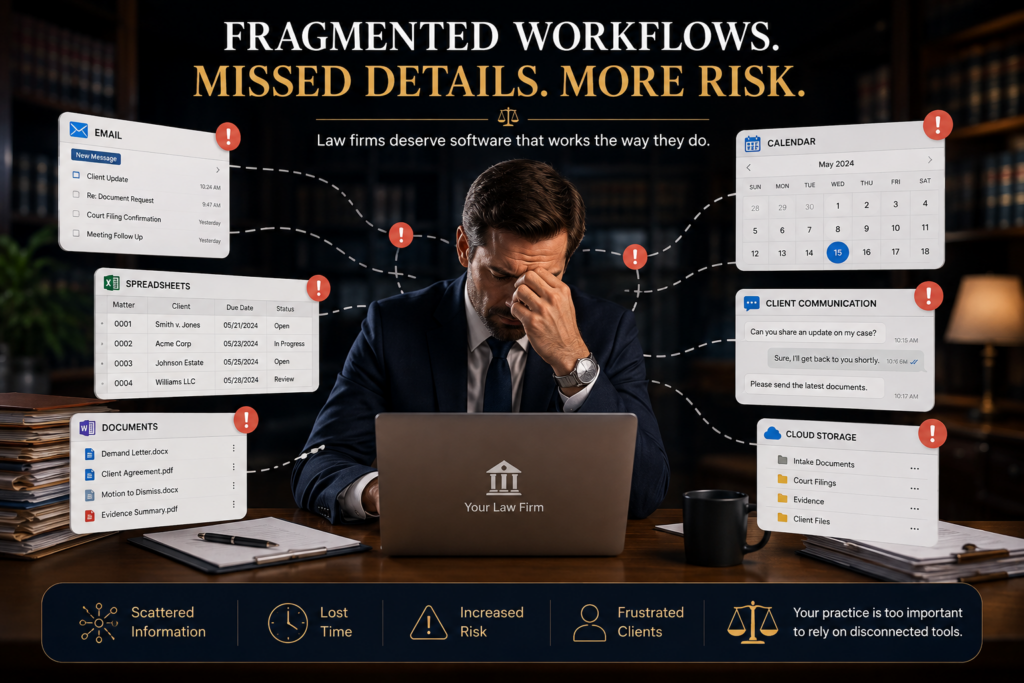
Law firms run on information, deadlines, documents, client communication, approvals, and careful coordination. The quality of that coordination can shape both the client experience and the amount of administrative work the team carries. Yet many firms still manage those activities across separate systems: email for communication, spreadsheets for tracking, calendars for deadlines, cloud storage for documents, and different applications for billing or client management. Each tool may solve a specific problem. The friction appears in the space between them.
A law firm’s workflow is rarely generic. A commercial practice may need matter intake, document review, approvals, deadlines, and client reporting. A litigation team may need case tracking, court dates, evidence, tasks, correspondence, and internal updates. A conveyancing practice may have an entirely different sequence of documents, approvals, searches, payments, and client communications.
When software does not reflect those workflows, teams create manual workarounds. That is where an AI application builder becomes interesting: the firm can start with the process and build around the actual work rather than forcing every process into the same generic structure.
Why Law Firms Need an AI App Builder
An AI app builder becomes particularly useful when a firm’s operations contain repeatable processes with clear users, information, decisions, and next steps. Client intake, matter creation, document requests, appointment scheduling, internal approvals, reporting, and client updates can all follow defined workflows. When those workflows are translated into software, teams can spend less time coordinating routine steps and more time on work that requires professional judgment.
The point is not that every law firm needs a custom application for everything. Established legal practice-management platforms can be valuable. The opportunity with an AI app builder is different: it gives a firm a practical way to explore focused applications for processes that generic systems do not handle particularly well.
For example, a firm could create a client intake application that collects structured information, routes a request to the right team, tracks its status, and gives staff a clear dashboard. It could create a client portal for document requests and matter updates. It could build an internal operations dashboard without turning every business process into one enormous system.
There is also a strategic reason to look at application building this way. A law firm’s processes are part of its intellectual and operational infrastructure. The way a firm qualifies a new matter, assigns responsibility, communicates with clients, requests documents, records progress, and reports to partners is not incidental. It is how the practice runs.
When those processes live primarily in people’s heads, inboxes, spreadsheets, and disconnected tools, the firm can become dependent on individual habits. A well-designed application can make the process more visible and repeatable. It can give the team a shared operating layer without pretending that every legal matter follows exactly the same path.
This is particularly useful for growing firms. As the number of matters and people increases, informal coordination becomes harder to maintain. The question becomes less about whether the team can handle today’s workload and more about whether the operating model will remain clear as the practice becomes more complex.
What Is an AI App Builder for Law Firms?
An AI app builder is a platform that uses artificial intelligence to help turn business requirements into working application experiences. Depending on the platform, that can involve prompts, templates, visual configuration, workflow logic, data structures, automation, and deployment tools. For a law firm, the starting point can be simple: describe the users, the information the system should manage, the actions they need to take, and what should happen at each stage.
A good legal AI app builder should make it possible to move from that description to a working application that can be reviewed and refined. The firm still defines the business rules. The AI-assisted platform helps turn those requirements into interfaces, workflows, data structures, automations, and other application components.
For a law firm, the most valuable part of an AI application builder is the ability to start with business language. A partner or operations lead can explain the workflow in terms of clients, matters, documents, approvals, deadlines, and responsibilities. That description can then become the starting point for an application rather than disappearing into a technical specification that only a development team can interpret.
This also changes the feedback loop. Lawyers and operations teams can review something tangible and say, “This step should happen earlier,” “This user should not see that information,” or “We need a separate status for this type of matter.” Those observations are much easier to communicate when everyone can see the workflow in front of them.
The result is not that AI magically understands the practice of law. The firm still supplies the rules, judgment, terminology, and requirements. The value comes from making the translation from those requirements to software more accessible and iterative.
For a broader introduction to AI-powered application building, see our AI app builder guide.
How an AI Application Builder Works
The process is easier to understand when it is treated as a sequence of practical decisions.
- Define the workflow: Identify users, information, decisions, permissions, and outcomes.
- Build the application: Start from a template or prompt, then shape screens, fields, records, roles, and navigation.
- Add automation: Introduce appropriate notifications, routing, task assignments, reminders, and status changes.
- Test and deploy: Test different user roles and realistic scenarios before making the application part of daily operations.
A modern AI app platform can support different levels of application maturity, from a focused prototype to a customer-facing product. Ndovesha AI provides an AI Web App Developer alongside other AI Workers and digital capabilities.
The quality of the result depends heavily on the quality of the starting brief. A useful prompt should explain the application’s purpose, primary users, records, workflow stages, permissions, important actions, and desired outcome. “Build a legal app” is too vague. “Build a client intake application that captures prospective-client information, categorises enquiries, routes them for review, and tracks each enquiry from submission to consultation” gives the system something concrete to work with.
It is also worth separating must-have functionality from future ideas. A first version might only need intake, review, assignment, status tracking, and notifications. Reporting, integrations, advanced automation, and additional user roles can follow once the core workflow has been tested.
This approach creates a useful discipline: build the smallest application that can prove the workflow, then expand it based on evidence. That is usually a better path than trying to predict every future requirement before anyone has used the software.
Step-by-Step Guide to Building a Legal Application with Ndovesha AI
Building a legal application works best when the firm starts with one meaningful workflow. Ndovesha AI can be approached as an iterative environment: define the outcome, create the first version, test it, and improve it.
Step 1 — Sign Up: Create an account and establish the workspace in which the application will be developed.
Step 2 — Choose the Application: Start with a suitable pattern such as a customer portal, CRM, booking system, or internal dashboard.
Step 3 — Describe the Legal Workflow: Explain users, records, stages, fields, permissions, and actions. For example: a prospective client submits an intake form, the matter is reviewed, a responsible lawyer is assigned, documents are requested, and the client receives an update.
Step 4 — Customize and Automate: Adjust the interface and introduce appropriate workflow rules, notifications, routing, and status changes.
Step 5 — Test and Deploy: Test realistic cases and user roles before deploying the application for its intended users.
For firms evaluating the wider Ndovesha ecosystem, the platform also includes AI Website Builder, AI-powered graphic design, and other AI Workers.
Start with the outcome, not the feature list. Before choosing screens or fields, define what should be better when the application is working. Perhaps new enquiries should reach the right person faster. Perhaps clients should have a clearer way to submit documents. Perhaps partners need a single view of active matters. The outcome gives every later decision a reference point.
Define the people involved. A legal application may have partners, associates, paralegals, administrators, clients, and external users. Each role can require a different view of the same process. Mapping those roles early makes permissions and workflow design much clearer.
Define the information. Identify the records the system needs to manage and which information is required at each stage. This prevents the application from becoming a collection of attractive screens with no coherent underlying workflow.
Test the exceptions. Legal work rarely follows one perfect path. A client may not provide a document. A matter may change category. A deadline may move. A request may need escalation. Testing these situations helps the application reflect real operations rather than an idealised process.
What Can Law Firms Build with an AI App Builder?
The strongest use cases are practical applications that sit close to day-to-day legal operations.
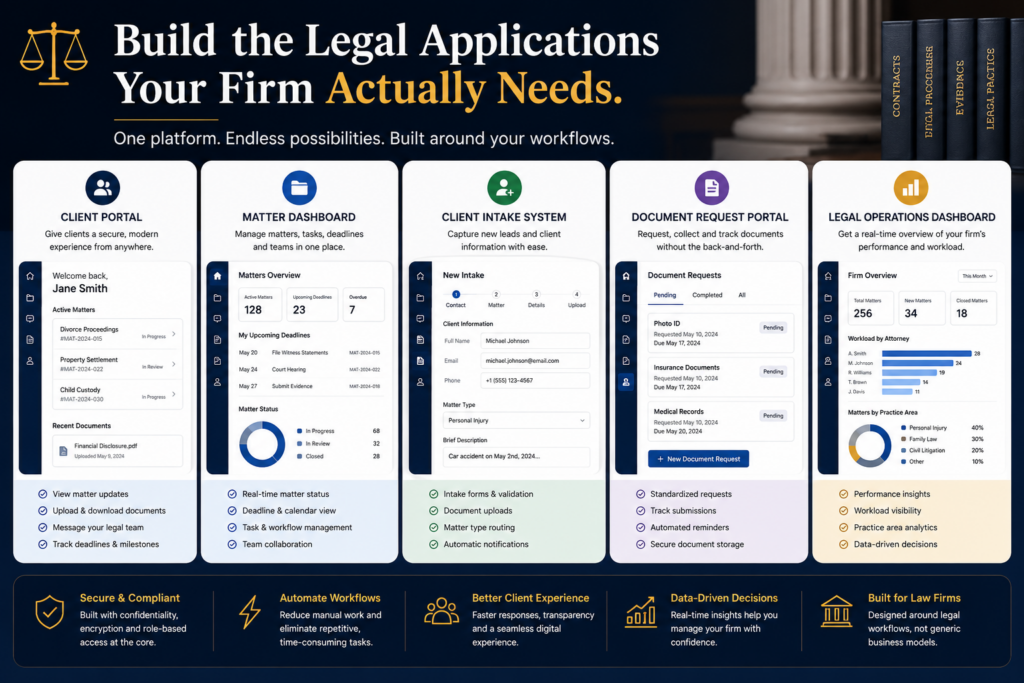
- Legal CRM: Manage prospective clients, existing clients, communications, and follow-ups.
- Matter Management System: Track matters, responsible lawyers, stages, tasks, deadlines, and operational information.
- Client Intake Application: Collect structured information from new clients before the first consultation.
- Client Portal: Give clients a central place for approved updates, document requests, appointments, and relevant files.
- Document Request Portal: Create a structured process for requesting, receiving, tracking, and following up on client documents.
- Consultation Booking Application: Manage consultation requests, availability, appointment status, and pre-meeting information.
- Legal Operations Dashboard: Give partners and operations teams visibility into active matters, workloads, deadlines, and requests.
- Internal Firm Applications: Build focused tools for leave requests, internal approvals, procurement, staff requests, knowledge management, or IT workflows.
Practice-area workflow applications: Different practices can have very different operational needs. A firm can explore focused workflows for litigation, conveyancing, corporate matters, employment, family law, immigration, intellectual property, or other practice areas, provided the application’s requirements and security controls are appropriate.
Partner dashboards: Partners often need a concise view rather than another detailed system. A dashboard can surface the information needed for management decisions, such as matter status, workload, outstanding actions, upcoming deadlines, and client requests.
Referral and enquiry management: Firms can create structured workflows for enquiries received from websites, referrals, events, or existing clients. The system can record the source, matter type, status, owner, and next action.
Knowledge and resource hubs: Internal applications can organise firm resources, policies, templates, checklists, and operational guidance so that teams have a clearer place to find what they need.
A Real-World Example: Building a Client Intake Application
Consider a prospective client visiting a firm’s website and making an enquiry. In a fragmented workflow, the enquiry may arrive by email, someone may copy the details into a spreadsheet, another person may schedule a consultation, and follow-ups may happen manually.
With a dedicated intake application, the journey can be structured. The client submits their details, selects the relevant matter type, describes the issue, provides requested information, and chooses a preferred consultation time. The firm’s team receives a structured submission, reviews it, assigns the next action, and tracks its status.
The value is not that the firm now has another form. The form becomes part of a workflow. Information enters once, the right people can see it, the next action is visible, and the process can be measured and improved.
The workflow can become even more useful when it includes clear ownership. Once an enquiry is submitted, the application can show who is responsible for reviewing it, what action is due next, and whether additional information is outstanding. That creates accountability without requiring someone to maintain a separate tracking sheet.
It can also give management a useful operational picture. If a large number of enquiries are sitting at the same stage, that may reveal a bottleneck in the intake process. If many submissions arrive incomplete, the firm may need to change the questions on the intake form. In that sense, the application is not just a digital form; it becomes a source of operational insight.
Another Example: Building a Law Firm Client Portal
Client communication is another area where a focused application can quietly make a significant difference. Instead of relying on long email threads for every update, a firm could provide a secure portal where clients see the information the firm has chosen to make available to them.
A portal might include matter status, requested documents, appointment information, messages, and approved files. The exact features depend on the firm’s practice and security requirements. The important principle is that the application should make the client journey clearer without exposing information that should remain restricted.
A well-designed portal should also respect the difference between convenience and disclosure. Clients may need visibility into selected information without receiving access to every internal note, document, or workflow detail. Role-based permissions and deliberate content design therefore matter just as much as the portal’s visual experience.
The same principle applies to notifications. Not every internal status change needs to become a client notification. The firm can decide which events are appropriate for the client experience and which should remain internal. This is where thoughtful workflow design becomes more important than simply adding more features.
AI App Builder vs Traditional Software Development for Law Firms
The choice should depend on the firm’s requirements. Highly specialized systems may still call for conventional engineering. An AI app builder can be attractive when the goal is to create a focused application, test a workflow, or iterate quickly.
| Criteria | AI App Builder | Traditional Development |
|---|---|---|
| Starting point | Business requirements, prompts, templates, and workflows | Detailed technical and product specifications |
| Speed | Fast prototyping and iteration | Longer development cycles for many projects |
| Customization | Flexible within platform capabilities | Very high control over implementation |
| Best fit | Focused business applications and workflow tools | Highly specialized or deeply technical systems |
| Iteration | Business teams can participate more directly | Changes typically require technical implementation |
Another consideration is ownership of change. Legal practices evolve. A firm may introduce a new service, change its intake process, reorganise teams, or add a new client communication step. Any application should be judged partly by how practical it is to change when the business changes.
There is also a question of scope. A focused internal workflow can be an excellent candidate for an AI app builder, while a highly regulated, mission-critical platform with unusual technical requirements may justify a deeper engineering effort. The best technology strategy can include both approaches.
Benefits of AI-Powered Application Development for Law Firms
- Better workflow visibility: Give lawyers, partners, and operations teams a clearer view of what is happening.
- Less administrative friction: Structured forms, routing, notifications, and dashboards can reduce repetitive coordination.
- Better client experiences: Client-facing applications can make intake, document requests, appointments, and approved updates feel more organised and predictable.
- Faster experimentation: Firms can test a focused workflow before committing to a larger technology project.
- More adaptable software: Applications can be refined as the firm’s processes change.
- Stronger operational visibility: Structured records and dashboards can help management understand workload, status, and bottlenecks.
More consistent processes: When a workflow is represented in software, the team has a clearer shared process to follow. That can reduce variation in routine administrative work.
Faster handoffs: A structured application can make ownership and next actions visible when work moves from one person or team to another.
Better management conversations: When operational information is captured consistently, partners can discuss workload and bottlenecks using a clearer picture of what is happening.
A stronger foundation for automation: Once information and workflow stages are structured, appropriate notifications, routing, reminders, and other automations become easier to design.
Security and Confidentiality Matter
Law firms handle information where confidentiality, access, and trust are fundamental—not optional. An AI application builder should therefore be evaluated on more than speed or visual quality. Firms should understand how the platform handles authentication, authorization, data storage, backups, integrations, logging, and access controls. The NIST AI RMF FAQs provide a useful framework for considering safety, security, privacy, accountability, and reliability.
A client portal, matter management application, or internal legal system should use appropriate permissions so users only access information relevant to their role. A partner, associate, administrator, client, and external collaborator may all require different levels of access.
AI also does not remove the need for governance. Firms should establish clear rules around what information can be entered into AI-enabled systems, how data is handled, which workflows can be automated, and how applications are reviewed. ABA Formal Opinion 512 and ICO AI and Data Protection Guidance provide useful starting points for this broader discipline.
Firms should also consider where AI is involved in the application-building process and where AI may be involved in the application itself. Those are two different questions. Using AI to help create an application does not automatically mean that client information should be exposed to an AI model. The firm should understand the platform’s architecture, data flows, retention policies, access controls, and terms before deciding what information can be used.
For applications containing sensitive legal information, governance should be treated as part of product design rather than something added after launch. Decide who can access what, what gets logged, how credentials are protected, what happens when a user leaves the firm, and how data is backed up. These decisions create the boundaries within which the application can operate safely.
Firms should also establish a review process for AI-generated application components. The faster an application can be created, the more important it becomes to review what was created. Speed is useful only when paired with appropriate oversight.
Why Law Firms Should Start With One Workflow
The temptation with new technology is to build everything at once. For a law firm, that can create unnecessary complexity. A better starting point is one workflow where the friction is obvious and the outcome is easy to define.
Ask five questions: What process creates the most administrative friction? Where is information currently scattered? What do clients repeatedly ask for? Which workflow depends on manual follow-up? What information would partners or managers like to see in one place?
Once the workflow is identified, build a focused first version, test it with the people who use it, collect feedback, and improve it. If the result creates value, the firm can then expand into another workflow.
Starting with one workflow has another advantage: it creates a clearer business case. Instead of asking whether “AI software” is valuable in general, the firm can ask whether a specific application improved a specific process. That makes the decision easier to communicate internally and easier to evaluate.
Once the first workflow works, the firm can look for adjacent processes that naturally connect to it. A client intake application might lead into matter creation. Matter creation might connect to a client portal. A portal might connect to document requests. Over time, these focused applications can form a more connected digital operating environment.
Frequently Asked Questions
What is an AI app builder for law firms?
An AI app builder for law firms is a platform that uses AI-assisted development to help create applications around legal and operational workflows, such as intake, matter management, client portals, dashboards, and internal processes.
Can law firms build client portals with AI?
Yes. A firm can use an AI application builder to create a portal structure around its client workflow. Security, permissions, and data handling should be evaluated carefully.
Can AI build case management software?
AI-assisted application development can help create case or matter management workflows. The complexity of the firm’s requirements should determine whether an AI app builder is appropriate.
Is AI-built legal software secure?
Security depends on the platform, architecture, configuration, integrations, and controls used. Firms should evaluate authentication, permissions, data handling, backups, logging, and governance.
Does an AI app builder replace lawyers?
No. The purpose is to support the firm’s workflows and reduce administrative friction. Legal judgment, interpretation, strategy, negotiation, advocacy, and professional responsibility remain human responsibilities.
Can small law firms use AI app builders?
Yes. Smaller firms can use focused applications to address specific operational needs and expand gradually as they learn what works.
Sources & Further Reading
- NIST AI Risk Management Framework — Guidance for managing AI risks and trustworthiness.
- OWASP Artificial Intelligence Security Verification Standard — Security verification guidance for AI-enabled systems.
- NIST AI RMF Playbook — Practical guidance for applying the AI Risk Management Framework.
- ABA Formal Opinion 512 — Generative Artificial Intelligence Tools — Guidance on competence, confidentiality, client communication, supervision, candor, and fees when lawyers use generative AI.
- ICO Guidance on AI and Data Protection — Practical guidance on data-protection considerations for AI systems processing personal information.
- New York City Bar Formal Opinion 2024-5 — Legal-sector guidance covering confidentiality, competence, diligence, supervision, and other obligations relating to generative AI.
- NIST AI Risk Management Framework FAQs — A practical reference for questions around trustworthy, secure, privacy-aware, and accountable AI.
Build Software Around the Way Your Firm Works
Start with one legal workflow. Turn it into a working application. Then improve it with the people who use it every day. BUILD YOUR AI APPLICATION
Conclusion
Law firms already have the workflows. They already know where information enters, where decisions are made, where clients need updates, and where teams lose time. They have the client journeys, matter processes, document requirements, approval paths, deadlines, reporting needs, and internal operations. The opportunity is to turn those workflows into software that reflects the way the firm actually works.
An AI app builder for law firms provides a practical way to explore that opportunity. Instead of treating every software need as a massive technology initiative, firms can start with one meaningful process, build a focused application, test it with real users, and improve it over time.
The goal is not to add another layer of technology simply because AI makes it possible. It is to create better systems around the work that matters. With the right approach, AI application development can become a practical capability for building a more connected, responsive, and intentional law firm.